Messaging System Refresh
Redesigning how parents, teachers, and admins communicate with role-based channels that protect privacy without sacrificing connection.
COMPANY:
Procare Solutions
TEAM:
Designer, PM, Dev Lead
My Role:
Product Designer
TIMELINE:
6 months
status:
Shipped
Problem
Messaging is one of Procare's most-used features. Any change here touches thousands of daily conversations between directors, teachers, and parents.
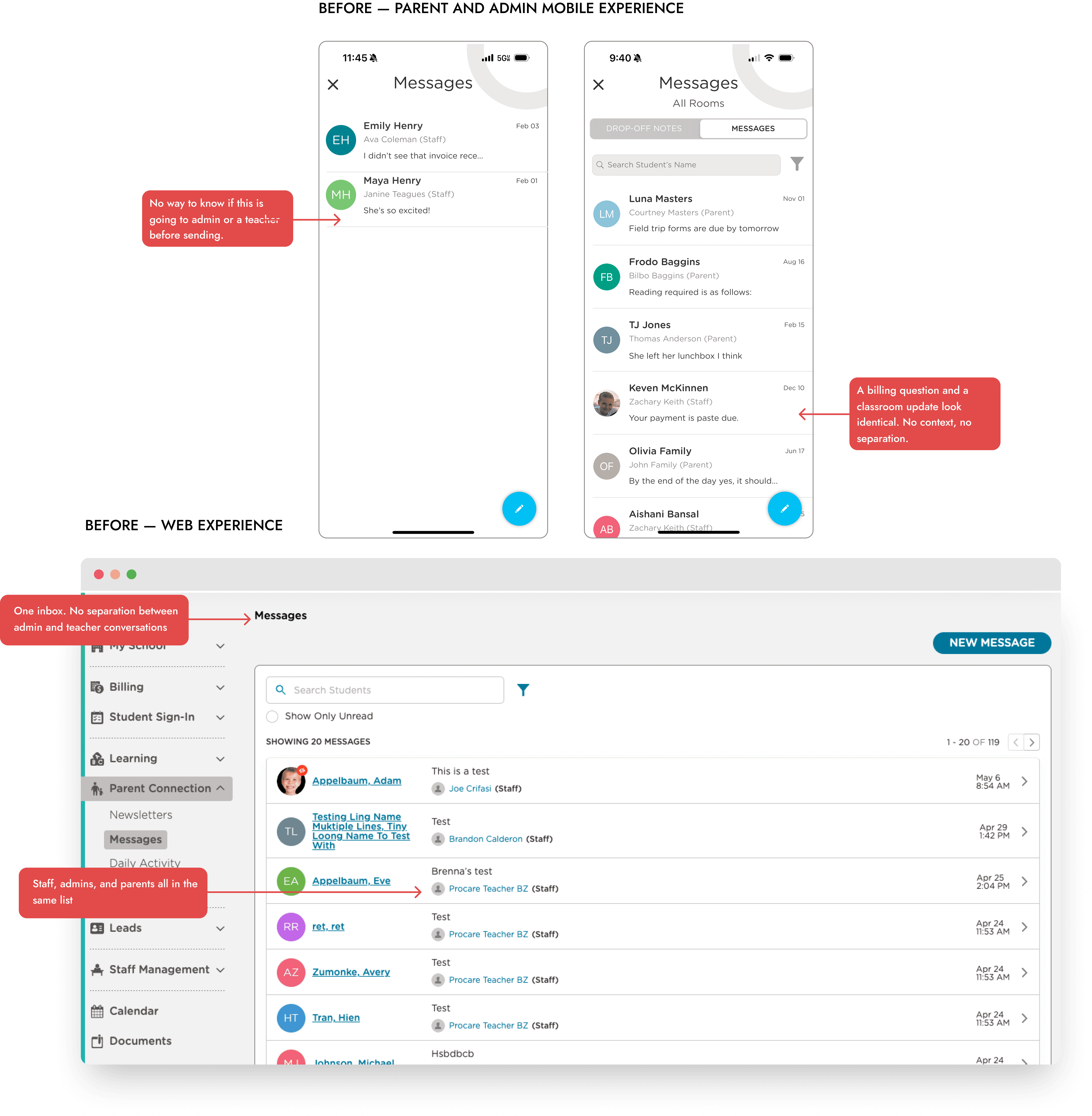
The existing system had one messaging area with no role separation. Directors had no way to message parents privately about billing, behavior escalations, or enrollment without that conversation being visible to their own staff. Everything lived in the same flat list, which meant sensitive conversations either happened in the product without privacy or got routed out to email instead.
What made this challenging:
Three user types with conflicting privacy needs. Solving privacy for directors couldn't come at the cost of clarity for parents or boundaries for teachers.
The architecture had to do the work, not settings toggles. You can't rely on users to configure their own privacy correctly.
Messaging is one of Procare's most-used features. Getting this wrong would be highly visible.
Research
Director Interviews
Directors needed privacy from their own staff. This was about trust and role clarity, not security.
"I don't want teachers seeing conversations about billing or behavior issues."
Teacher Feedback
There was no in-product alternative. Parents were reaching teachers on personal phones.
"Parents text me directly and I can't always respond. It's stressful."
Parent Surveys
Same inbox, same look, no way to tell the difference.
"I never know if I'm messaging the teacher or the office."
Pain points
Directors, teachers, and parents were all describing the same root issue in different words: one flat inbox couldn't hold a school's worth of different relationships at once.


How we got to a solution
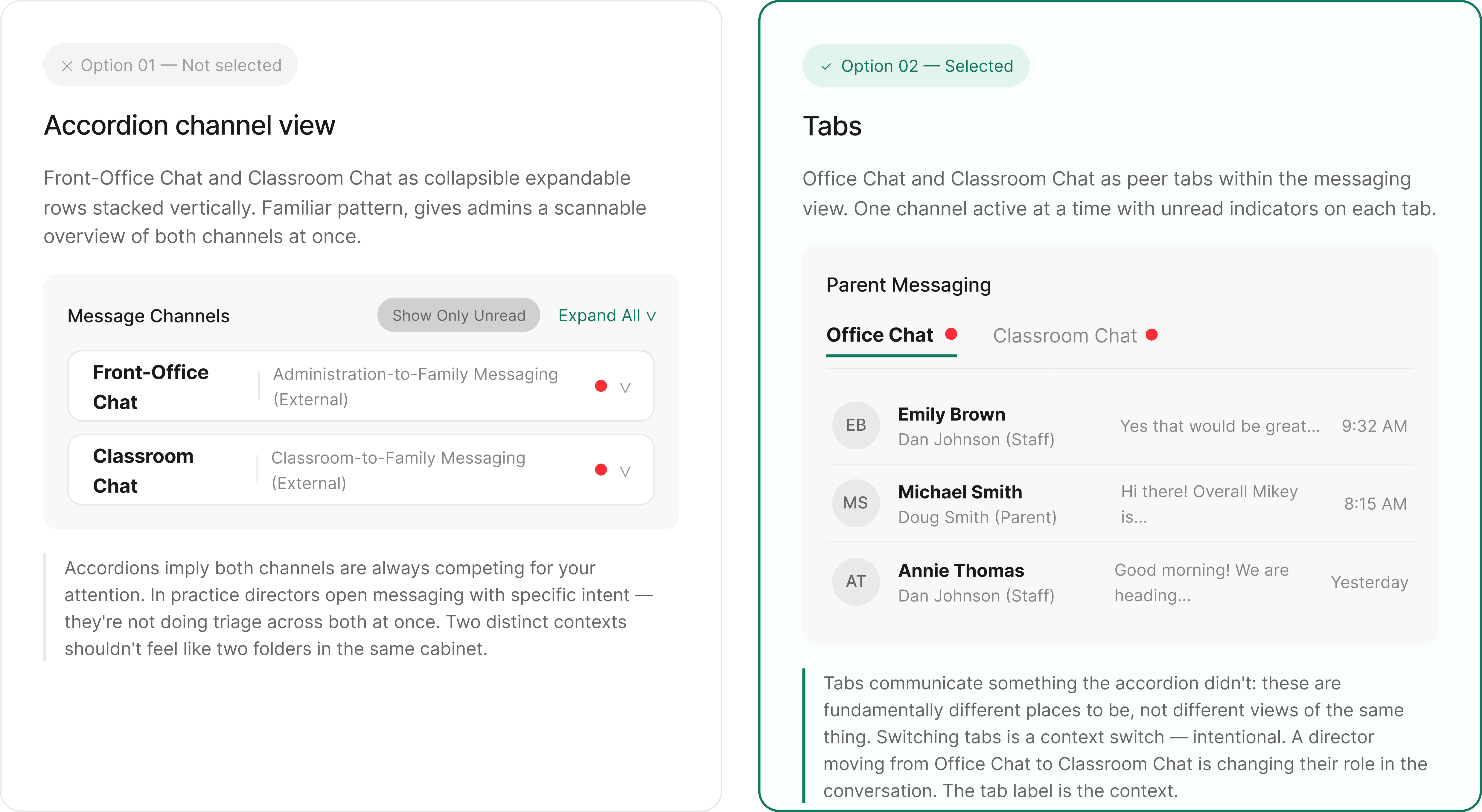
The question wasn't whether to separate the channels. Research made that clear. The question was how to surface that separation in the UI without adding cognitive load for users who just wanted to send a message.
We went back and forth between two directions.
The Solution
One home for messaging
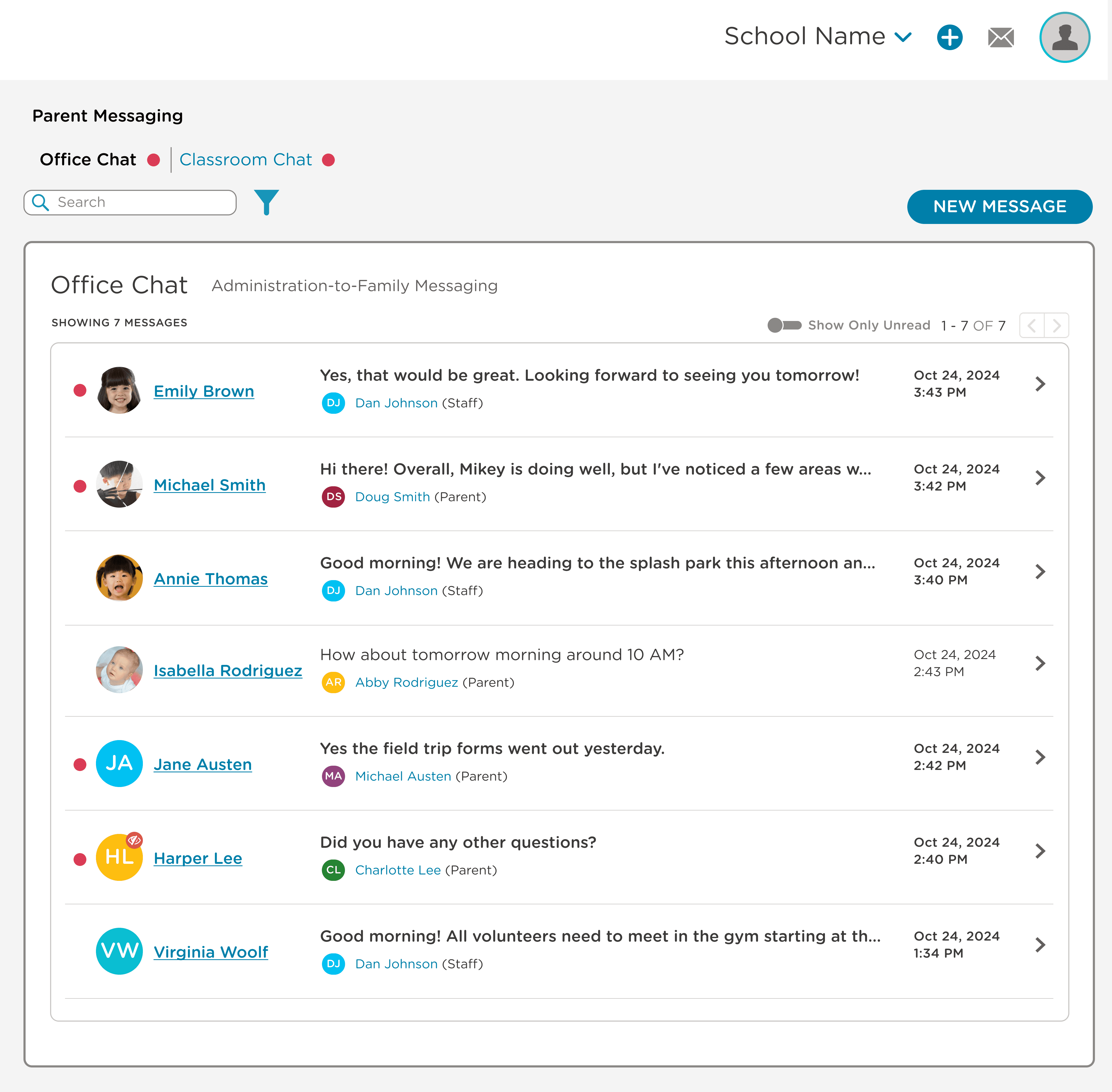
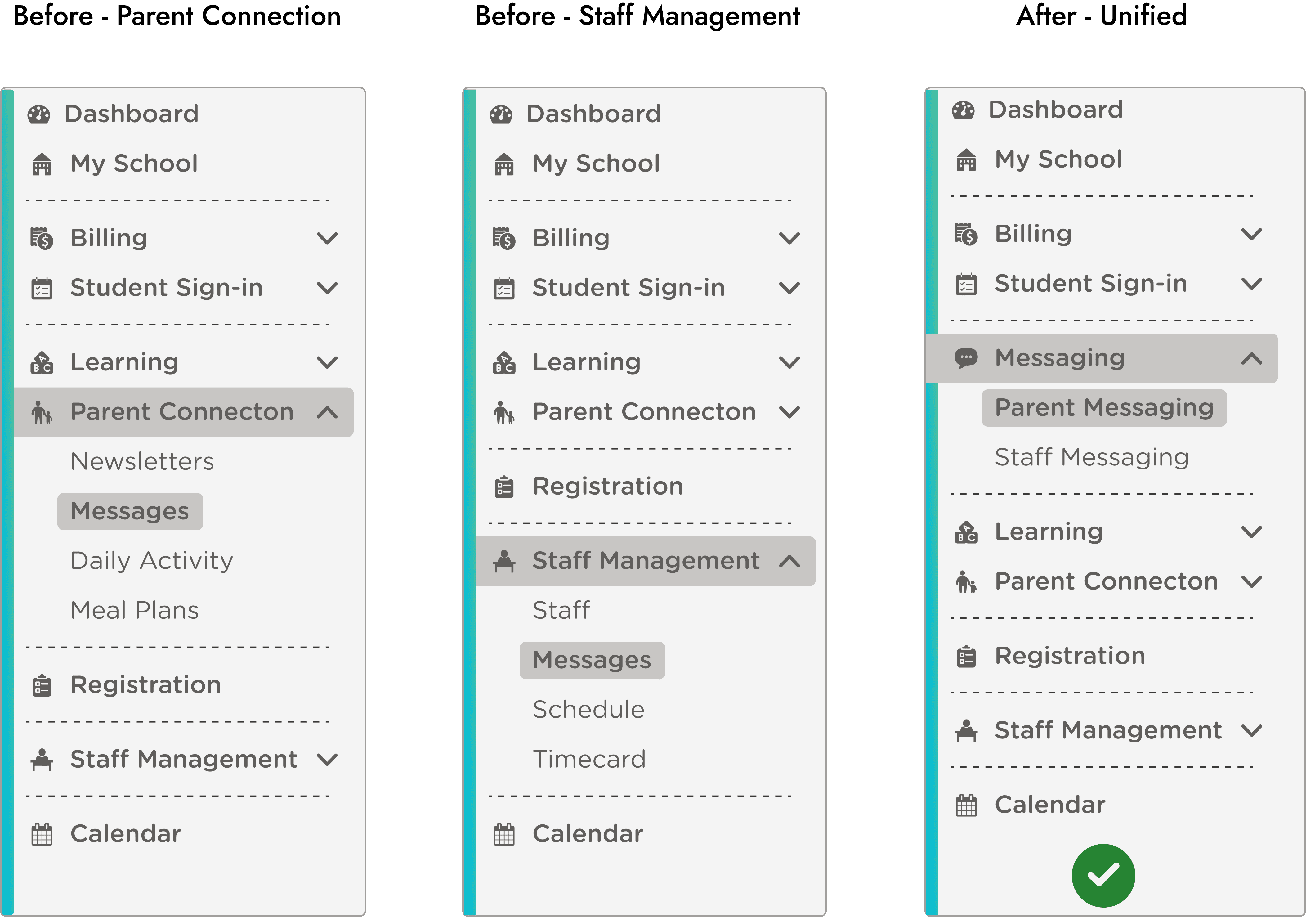
Messaging lived in two places. Parent messages were buried inside Parent Connection. Staff messages were inside Staff Management. We consolidated both under a new top-level Messaging nav item, with two sub-items: Parent Messaging and Staff Messaging.
The boundary is structural, not a setting
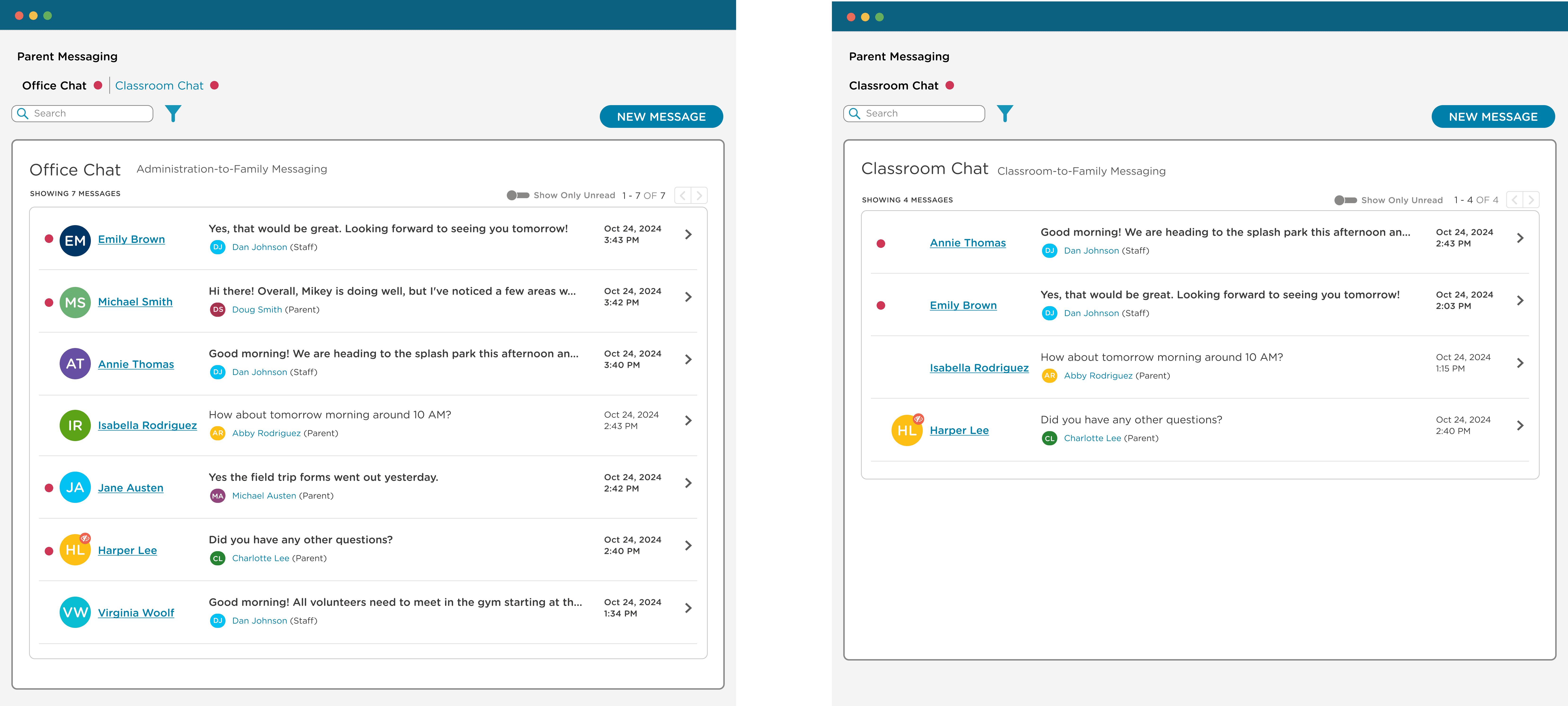
Teachers don't see Office Chat because it isn't part of their view. Not because of a toggle a director has to remember to set. There's no setting to misconfigure, and no way for a sensitive conversation to leak into a teacher's inbox by accident.
Context clarity
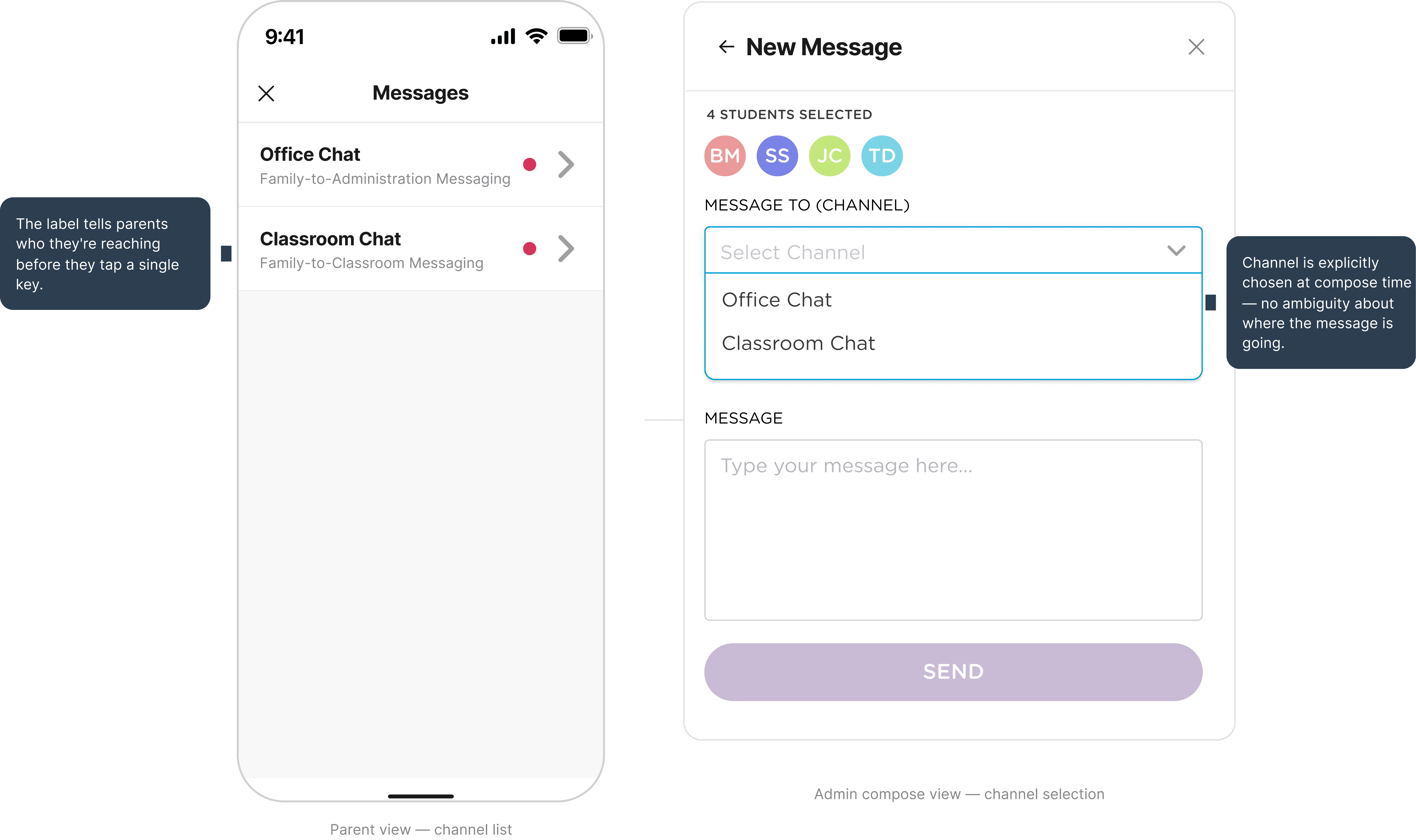
The tab label tells a parent who they're reaching before they type anything. Office Chat = administration. Classroom Chat = their child's teacher. The label tells parents exactly who they're reaching before they tap.
Split panel: context without context-switching
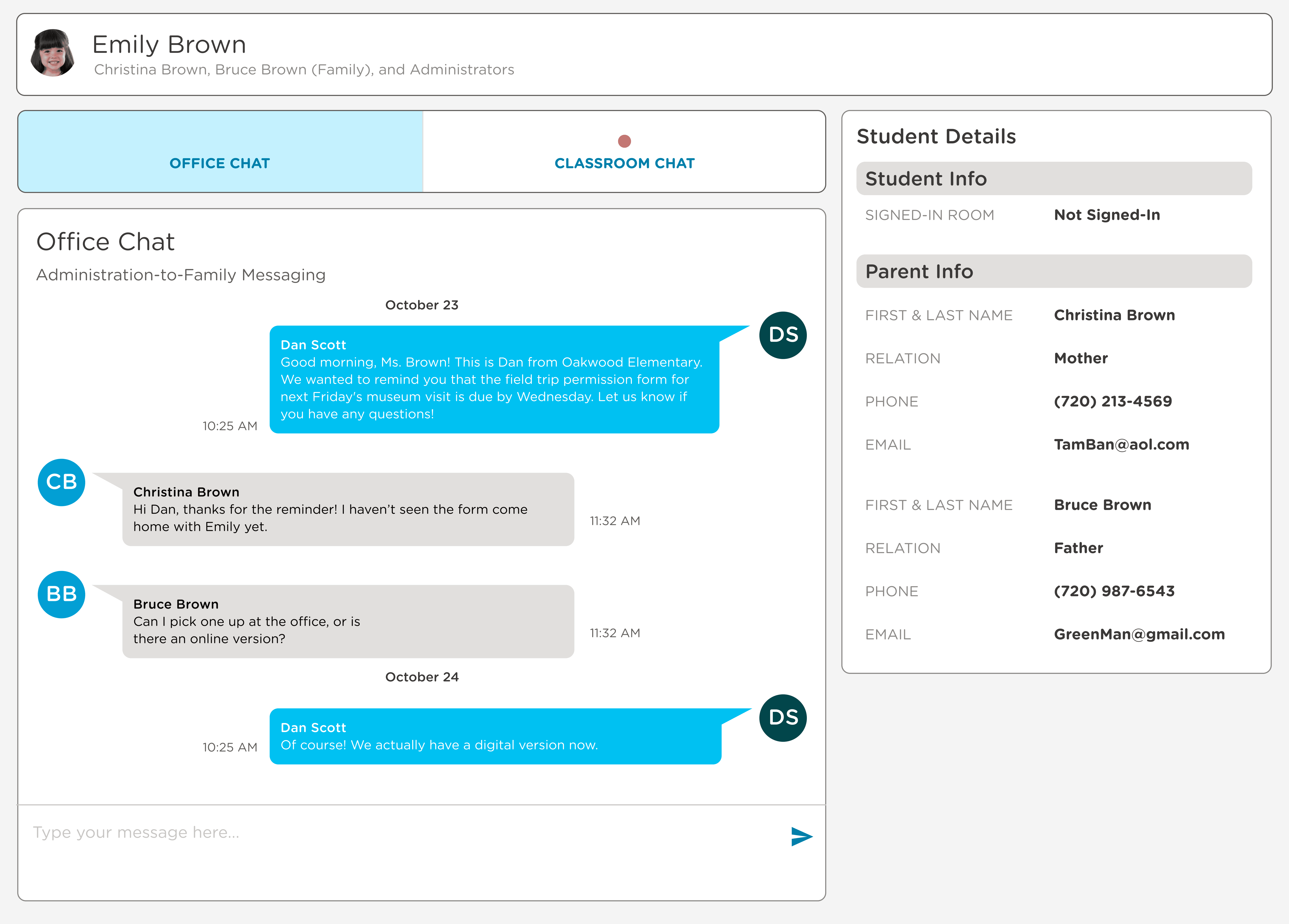
Chat on the left, student and family details on the right. Admins never have to leave a conversation to pull up family info. This directly replaces a workflow observed repeatedly in research: open message, navigate to profile, lose the thread, start over.
Results
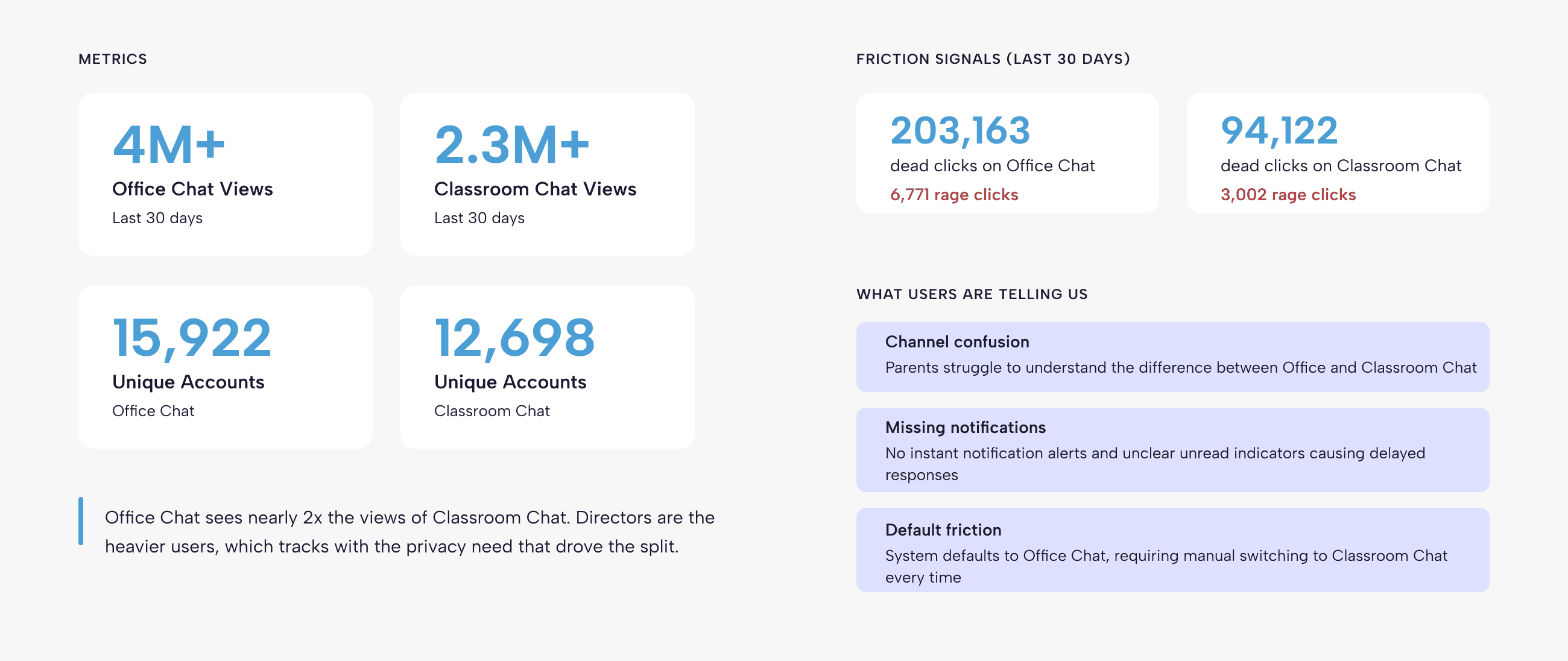
Office Chat sees nearly 2x the views of Classroom Chat. Directors are the heavier users, which tracks with the privacy need that drove the split.
What's Next